


My Aphasia Coach
4.215.00 Reviews
App Specs
- Version
- 9.0.4
- Updated On
- License
- Free
- Downloads
- 10,000+
- Developer
- MyAphasiaCoach.com
- Categories
- Medical
- Platform
- Android
Screenshots
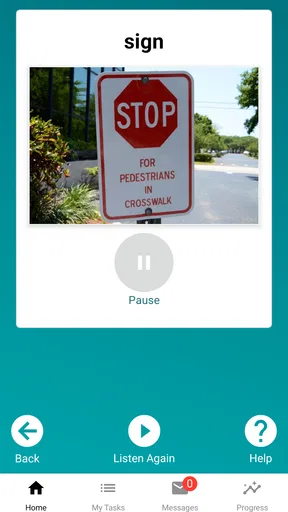
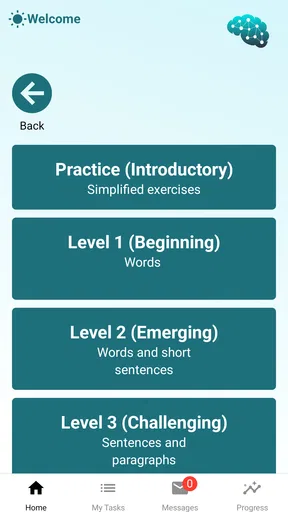
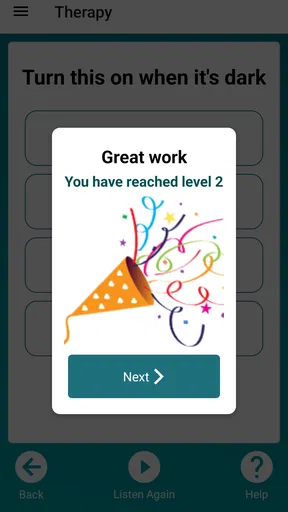
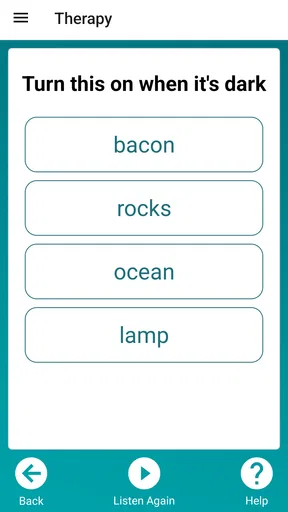
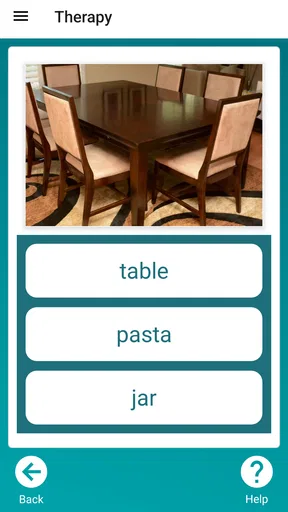
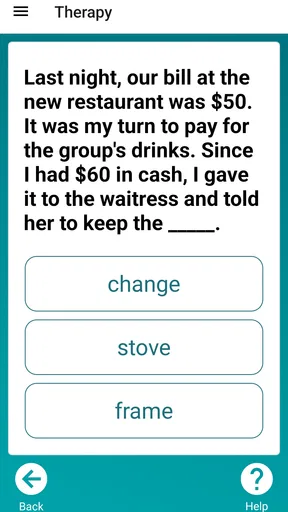
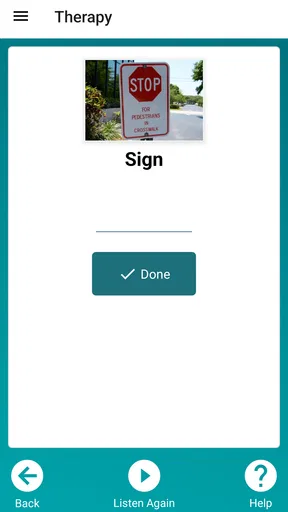
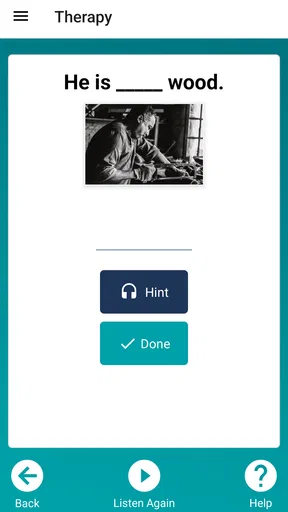
 Analysis by AppCompare
I would treat My Aphasia Coach as a practice companion rather than a replacement for speech-language therapy. Its appeal is the chance to work on communication in short, repeatable sessions, but the practical experience also depends on when the phone can connect and whether the user has enough energy and attention for screen-based practice. That makes it worth considering for people who want a structured activity between appointments, and less suitable for anyone expecting the app to assess recovery or provide clinical guidance on its own.
Using the app in everyday life
I find that the most useful way to judge a practice app is to fit it into an ordinary routine, not to expect every session to feel effortless. With My Aphasia Coach, I’d pick a calm moment, keep the goal modest, and notice whether the phone setup helps or distracts. That everyday trial also makes it easier to decide when a larger screen, a supporter’s help, or a different kind of practice would work better.
Connectivity can shape a session
Because this is a mobile medical app, I would plan the first session while connected to a reliable network. That gives you a chance to open the app, see how its materials behave, and find out whether any part of the experience depends on loading. I would not assume every exercise or account-related feature works without internet access. If practice is important during a commute or in a place with weak reception, test that setting before relying on it.
A useful routine is to begin at home, choose a manageable practice goal, and note what you want to work on before leaving. If the app needs a connection at a particular point, you can discover that without the pressure of trying to complete an exercise in a waiting room. For a person with aphasia, an interruption can cost more than a few seconds: it may break concentration or make it harder to return to the task. A little preparation can protect the calm, unhurried feeling practice needs.
Choosing the right mobile moment
Portability sounds simple, but a phone is not automatically the best setting for every person or exercise. Small text, touch targets, screen glare, background noise, and fatigue can all affect how comfortable a session feels. I would try the app in a quiet room first, with the phone at a comfortable distance and brightness, then see whether the same setup works elsewhere. A tablet or a larger screen may be easier for some users, while others will value being able to practise from a familiar chair with a phone close at hand.
One realistic use is a short session after breakfast, before the day becomes busy. A family member could help the user open the app and get settled, then step back so the practice remains the user’s own. Another useful moment might be a quiet break between appointments, provided connectivity and attention are both good. I would avoid turning every spare minute into an exercise: rest and conversation matter too, and a tired user may get more from stopping than pushing through.
What to do when something goes wrong
If a screen takes longer than expected to respond or a session is interrupted, I would first check the network and give the app a moment rather than tapping repeatedly. Repeated taps can make it harder to tell what happened, especially for someone already working through language or motor-planning challenges. If the issue continues, closing and reopening the app is a sensible basic step; for anything that affects access or progress, a caregiver can help describe the problem clearly when seeking support.
Worth Reading Before You Choose

Flipboard Shows What News Apps Must Do Beyond the Feed

Switching to Android Auto Means Rethinking Your Driving Routine

Google Calendar Makes a Crowded Week Easier to Manage

Ludo King Makes the Most of the Minutes Between Plans

Baby Panda World Brings Quick Play to Modern Phones, but Its Game Library Feels Busy

ESPN’s Live Game View Makes Following Close Games Easier
It is also worth agreeing on a simple recovery plan before practice begins. Keep the phone charged, use a familiar network where possible, and decide whether to pause or switch to a non-screen activity if the app becomes frustrating. That is not giving up; it is protecting the purpose of the session. A paper notebook can hold a word, topic, or personal goal to return to later, without pretending to replace the app’s exercises or its progress tools.
Privacy-minded, practical use
Language practice can feel personal, so I would set up the phone in a way that respects the user’s comfort. Use a screen lock if that is already part of the household’s routine, and be thoughtful about practising in public if responses or personal material could be overheard or seen. If another person helps, ask before they handle the phone or review progress. Support should make practice easier, not take control away from the person using the app.
MyAphasiaCoach.com is the developer behind this medical app. It is free to install, though in-app purchases range from $9.99 to $199.99 per item, so I would check what an offered purchase includes and whether it suits the user before spending money. The app is rated for Everyone, has an average rating of 4.2 from 92 ratings, and has 10K+ installs. It first appeared on Oct 2, 2016; version 9.0.4 is listed, with Android 6.0 as the minimum operating-system requirement. Those details help set expectations, but they do not tell you whether a particular exercise suits a specific person, so I would judge that through a careful trial.
Who is likely to benefit—and who may prefer something else
I can see this being most useful for someone who wants a repeatable way to practise language skills between sessions with a clinician, especially when a supporter can help with setup but the user wants to work independently once started. It may also give families a concrete activity to discuss: instead of asking a broad “How was practice?”, they can ask which kind of task felt comfortable or difficult and carry that observation into a therapy conversation.
On the other hand, it is not the right first choice for someone who needs a clinician to select every task, cannot comfortably use a touchscreen, or becomes distressed by self-directed practice. A therapist’s tailored session is a better option when goals need close adjustment or symptoms have changed. A conversation group or face-to-face practice may be more valuable when the main need is spontaneous interaction with another person. I would use the app to complement those supports, not to replace them.
How it compares with familiar alternatives
Compared with paper worksheets, an app can make practice feel more interactive and convenient to revisit, while worksheets may be easier to use without a phone, battery, or network. Compared with general word games, a tool devoted to aphasia and apraxia is more directly relevant to communication practice, but a game may feel more entertaining for someone who is not ready for focused exercises. Neither comparison means one format is universally better: the useful choice is the one the person can return to without dread and that fits the goals set with their care team.
One trade-off I would watch is the difference between visible activity and meaningful progress. A completed session or a rising progress display can be encouraging, but it is not the same as communicating more easily in a real conversation. To make practice more useful, choose a small everyday goal—such as working on language connected to ordering lunch or calling a relative—and bring observations from the session into daily communication. Keep expectations modest, and let the clinician help connect app practice with broader recovery goals.
What Is My Aphasia Coach All About?
Imagine having a friendly guide by your side that helps you communicate better every day. That’s what My Aphasia Coach aims to be. Designed for those dealing with aphasia, it’s like having a speech therapist in your pocket. This app provides a range of exercises tailored to improve language skills, which is a crucial part of the recovery process.
Getting Started
Installing the app is a breeze. Whether you're on Android or iOS, just head over to the app store, download, and you’re ready to roll. Once you open it, you’re greeted with a simple, user-friendly interface. No need to worry about getting lost in a sea of options. Everything is laid out clearly, making it easy for anyone to get started without a hitch.
Features That Stand Out
What I love about this app is its personalization. It allows users to set goals and track progress in a way that feels rewarding. You get to choose the areas you want to focus on, whether it’s speaking, understanding, reading, or writing.
- Interactive Exercises: The exercises are interactive and engaging, which makes the learning process less daunting and more enjoyable.
- Progress Tracking: You can see how far you’ve come with detailed progress reports. It’s motivating to see those stats go up!
- Customizable Sessions: Tailor your practice sessions to fit your pace and preferences. This flexibility is perfect for adapting to daily routines.
An Insight into the User Experience
Now, let’s talk about how it feels to use this app. The overall experience is smooth, with minimal glitches. The app developers have clearly put a lot of thought into making it accessible for everyone. Plus, the supportive tone throughout makes it feel like you’ve got a cheerleader in your pocket.
The community aspect of the app is another highlight. You can connect with others who are on the same journey. Sharing experiences and tips with peers can be incredibly uplifting, and it adds a social dimension to the app that many users appreciate.
Why You Might Consider It
So, why would you want to give My Aphasia Coach a try? If you or someone you know is dealing with aphasia, having an app that’s dedicated to making communication easier can be a game-changer. The app’s design and functionality make it not just a tool, but a partner in recovery.
Whether you’re looking to enhance your communication skills or just need a bit of extra practice outside of therapy sessions, this app provides a convenient, supportive environment to do just that. Plus, with its portable nature, you can practice anytime, anywhere.
Wrapping It Up
To sum it all up, My Aphasia Coach is more than just an app—it’s a helpful companion on the road to recovery. It’s packed with features that are not only practical but also genuinely supportive. The personalization, community, and ease of use make it a worthwhile addition for anyone looking to improve their communication skills post-aphasia.
So go ahead, download it, and see how it can make a difference in your daily life. Happy communicating!
Pros
- User-friendly interface for easy navigation.
- Customizable exercises for personalized learning.
- Tracks progress with detailed analytics.
- Supports multiple languages for wider reach.
- Interactive games make learning engaging.
Cons
- Limited offline functionality.
- Requires subscription for full access.
- Initial setup can be time-consuming.
- Some exercises may seem repetitive.
- Occasional app performance lags.
FAQs for My Aphasia Coach
What is My Aphasia Coach, and how does it help users?
My Aphasia Coach is a comprehensive app designed to support individuals dealing with aphasia. It offers various exercises and activities tailored to improve language and communication skills. The app is user-friendly, with interactive features that adapt to the user’s progress, making therapy both engaging and effective.
Is My Aphasia Coach suitable for all types of aphasia?
Yes, My Aphasia Coach is designed to accommodate various types of aphasia, including expressive, receptive, and global aphasia. The app includes customizable exercises that can be adjusted based on the user's specific needs and severity of their condition, ensuring a personalized therapy experience.
What devices are compatible with My Aphasia Coach?
My Aphasia Coach is compatible with most iOS and Android devices, including smartphones and tablets. The app is optimized for both platforms, ensuring smooth functionality and a seamless user experience, whether you’re using an iPhone, iPad, or an Android device.
Does My Aphasia Coach require an internet connection to function?
While some features of My Aphasia Coach may require an internet connection, especially for updates and new content downloads, most exercises and activities are available offline. This enables users to continue their therapy sessions without interruption, even when internet access is limited.
Are there any subscription fees for using My Aphasia Coach?
My Aphasia Coach offers a free version with basic features, but for full access to all exercises and advanced functionalities, a subscription may be required. The app provides various subscription plans to fit different budgets, ensuring that users can choose the option that best suits their needs.


